
Industrial Drying Troubleshooting Guide
Industrial dryer troubleshooting should begin with a safe, repeatable record of the symptom rather than an immediate change to a setpoint. Compare material preparation, loading, air path, temperature, humidity, drainage, alarms and operating stage. Operators can collect observations and trends, while electrical, refrigeration and safety work remains with qualified personnel and the project procedure.
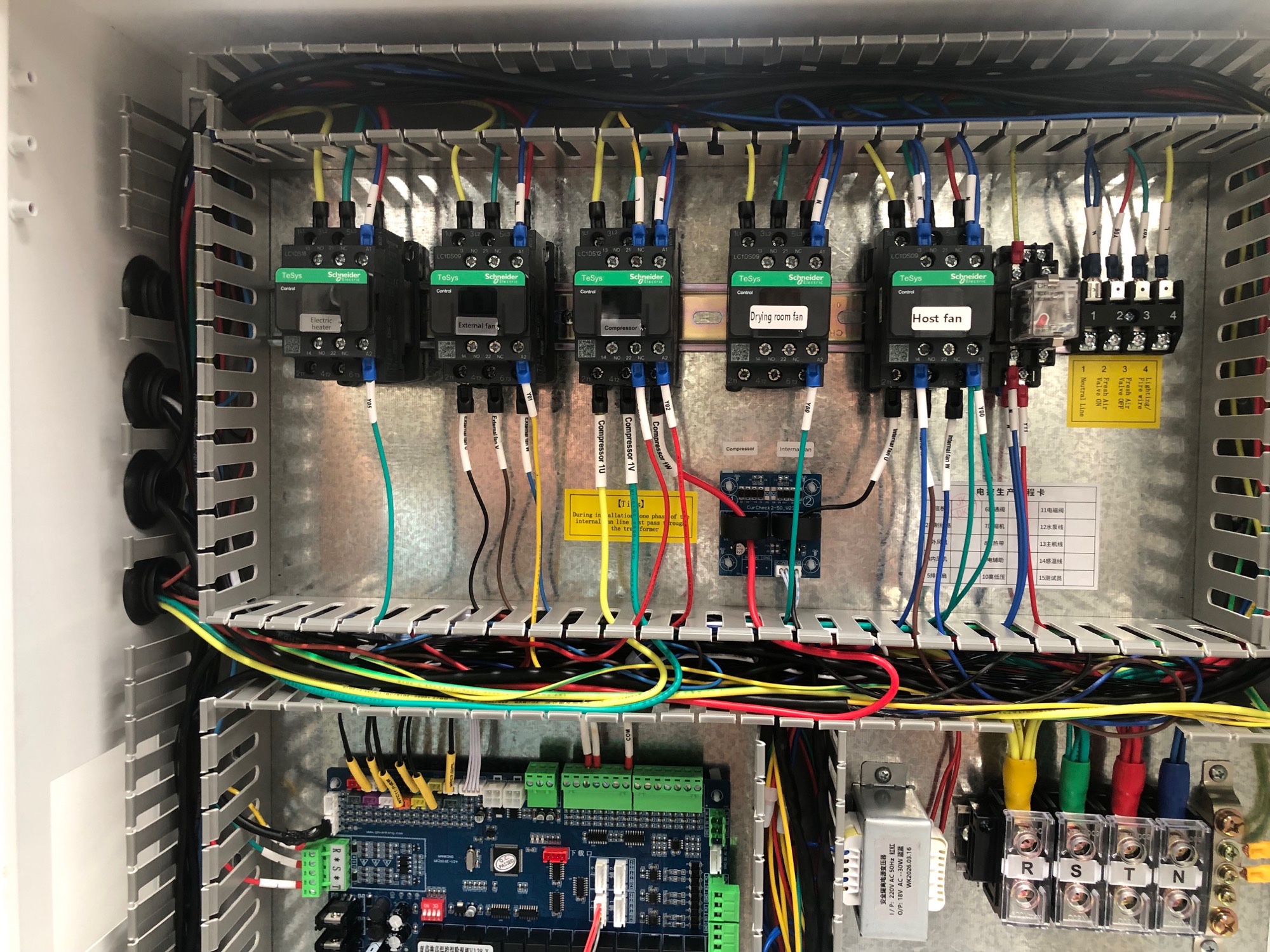
Troubleshoot the drying process and batch basis
Process troubleshooting concerns a drying batch and its operating basis. Preserve the material preparation, loading, air path, moisture-discharge conditions and batch records before changing settings. Compare the observed result with a comparable run so a material or loading difference is not mistaken for equipment failure.
A practical troubleshooting sequence
1. Define the symptom
State what changed, when it appeared, where it appears and whether it repeats. Record the material lot, preparation, loading arrangement and operating stage.
2. Preserve the basis
Save controller trends, alarms, batch notes and relevant photos before changing multiple settings. A moving target makes cause and effect difficult to separate.
3. Check safe external conditions
Inspect doors, visible obstructions, filter condition, drain outlets, obvious leaks and accessible airflow paths according to the site procedure.
4. Escalate with evidence
Give the technician a concise symptom map, measurements, timestamps and operating history. Do not substitute an operator check for specialist diagnosis.
Connect the symptom to a measurement
| Symptom | Possible cause area | Useful observation | Next action |
|---|---|---|---|
| Moisture removal is insufficient | Loading, air path, moisture discharge or material variation | Fresh and final mass, material condition, return-air trend and drainage record | Compare with the defined batch basis and escalate missing or abnormal evidence |
| Temperature is unstable | Sensor position, control sequence, airflow or equipment condition | Trend supply and return observations with alarms and operating stage | Check sensor identity and accessible airflow before specialist review |
| Humidity falls slowly | Wet load, restricted air exchange, condensate path or room leakage | Material moisture, room condition, drain behaviour and door status | Separate material duty from moisture-path observations |
| Drying is uneven | Tray loading, bypass air, dead zone or product variation | Map tray, trolley and layer results using consistent measurement points | Review the airflow diagnosis sequence |
| Unexpected alarm or noise | Control signal, fan, electrical or refrigeration area | Alarm code, timestamp, sound or vibration description and safe external condition | Stop or isolate according to site procedure and contact qualified service |
Know what an operator check can and cannot prove
An operator can usually document loading, visible obstructions, door condition, displayed values, alarm history and material observations within the approved procedure. That evidence does not prove refrigerant charge, compressor health, electrical protection, insulation resistance, safety-interlock integrity or control-cabinet condition. Those checks require qualified personnel, appropriate instruments and isolation procedures.
Use the PLC control page when a signal, alarm or sequence needs a control review, and use the maintenance page for planned inspection boundaries. The commissioning checklist helps distinguish an original installation issue from a later process change.
Escalate before continuing operation
- Do not bypass a safety interlock or silence an alarm without the approved procedure.
- Do not open an energized electrical cabinet or handle refrigerant as an operator task.
- Stop and escalate when there is smoke, burning smell, exposed wiring, abnormal vibration, water near electrical equipment or a repeated protective trip.
- Keep the batch record and equipment status available for the responsible technician.
Questions buyers and operators ask
Should the temperature setpoint be changed first?
No. Preserve the original condition and check material, loading, air path, sensors and alarms first.
Can slow drying prove the machine is undersized?
No. Material moisture duty, preparation, loading, airflow and moisture discharge must be separated before sizing is judged.
What should an operator record?
Record the symptom, time, batch basis, loading arrangement, displayed values, alarms, drainage observations and safe external checks.
When is professional service required?
Any electrical, refrigeration, safety-interlock or repeated protective-trip issue should be handled by qualified personnel.
Can one successful batch prove the issue is fixed?
No. Comparable batches and repeatable observations are needed to verify a corrective change.
Continue the review
Discuss a documented drying problem
Send the material, loading basis, observed symptom and available records to sales@hpdryer.com, then use the Request a Solution page for project information.
Make the troubleshooting record useful to the next reviewer
A good record distinguishes an observation from an interpretation. Write “return-air humidity remained high during the recorded stage” before writing “the dehumidifier failed.” Include instrument location, unit, timestamp and whether the displayed value was stable or changing. Attach the loading sketch, alarm text and material notes when available. This prevents a partial observation from being treated as a confirmed component failure.
Keep the original condition, the change made and the result in separate lines. If a filter was cleaned, note what was observed before and after. If a door seal was adjusted, record whether the symptom changed on a comparable batch. This history supports maintenance, commissioning and engineering decisions without promising that one observation identifies the root cause.